Google Ads Not Converting? 10 Reasons Why (and How to Fix Each One)
Spending on Google Ads with nothing to show for it? Here are 10 common reasons your campaigns aren't converting and step-by-step fixes for each.
Atastic Team
Digital Marketing Agency
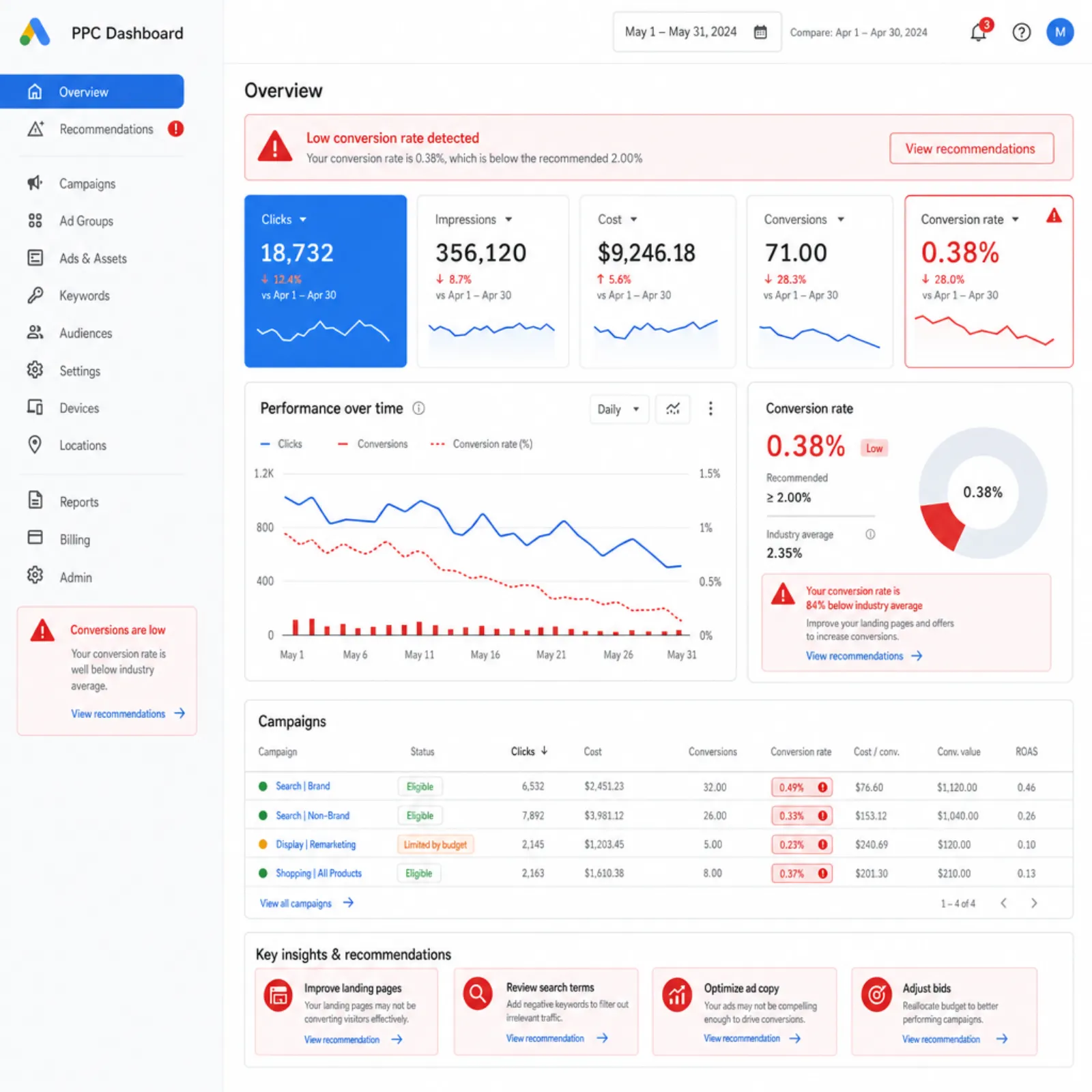
You launched your Google Ads campaign, set a budget, picked some keywords, and waited. The clicks rolled in, but conversions did not. Your cost per acquisition is climbing, your return on ad spend is shrinking, and you're starting to wonder whether Google Ads even works for your business.
The good news: Google Ads works. The bad news: there are at least a dozen things that can go wrong between a user seeing your ad and completing a conversion. This guide covers the 10 most common reasons Google Ads campaigns fail to convert, along with specific fixes you can implement right away.
Before You Troubleshoot: Verify Your Conversion Tracking
Before diagnosing anything else, confirm that your conversion tracking is actually working. It sounds basic, but broken or misconfigured tracking is one of the most frequent causes of "zero conversions" in Google Ads accounts. If your tracking is broken, you might be getting conversions that simply aren't being recorded.
How to Check Your Tracking
- Open Google Ads and go to Tools > Conversions. Verify that each conversion action shows a status of "Recording conversions." If the status says "No recent conversions" or "Inactive," the tag isn't firing correctly.
- Use Google Tag Assistant. Install the Chrome extension and visit your conversion page (thank-you page, order confirmation, etc.). Tag Assistant will show whether the Google Ads conversion tag fires on that page.
- Cross-reference with Google Analytics. If your analytics setup tracks the same conversion events, compare numbers. If Analytics shows conversions but Google Ads does not, your Google Ads tag is the problem.
- Test the full conversion path yourself. Complete a test conversion on your site and check whether it appears in your Google Ads reporting within 24 hours.
If tracking is broken, fix it before doing anything else. Every optimization you make is blind without reliable conversion data.
10 Reasons Your Google Ads Aren't Converting
1. You're Targeting the Wrong Keywords
This is the most common reason Google Ads campaigns fail. Keyword selection determines who sees your ads, and if you're bidding on keywords that attract the wrong audience, no amount of ad copy or landing page optimization will save you.
Common keyword mistakes:
- Keywords are too broad. Bidding on "marketing" when you sell email marketing software brings in people searching for marketing degrees, jobs, and general information. None of them will convert.
- Keywords lack commercial intent. Informational queries like "what is PPC" attract researchers, not buyers. Focus on keywords that signal purchase intent: "PPC management services," "Google Ads agency pricing," "hire PPC consultant."
- You're not using negative keywords. Without negative keywords, your ads show for irrelevant searches. Add negatives for terms like "free," "jobs," "salary," "tutorial," and "DIY" if you're selling a service.
How to fix it: Review your Search Terms report weekly. Identify which actual queries triggered your ads, add irrelevant terms as negatives, and shift budget toward keywords that show buying intent. Segment keywords by match type and monitor how broad match variants perform compared to phrase and exact match.
2. Your Landing Page Doesn't Match the Ad
When someone clicks an ad for "affordable CRM software" and lands on your homepage, you've created a disconnect. The user expected a specific solution. Instead, they got a generic page and hit the back button.
Message match matters. The promise in your ad copy must be fulfilled on the landing page. If your ad says "Get a Free SEO Audit," the landing page should feature a free SEO audit form, not a general contact page.
How to fix it:
- Create dedicated landing pages for each ad group or campaign theme
- Mirror the exact language from your ad headline in the landing page heading
- Ensure the offer, pricing, or benefit mentioned in the ad is immediately visible on the page
- Remove navigation and distractions that pull users away from the conversion action
3. Your Landing Page Has UX Problems
Even with perfect message match, a poorly designed landing page kills conversions. Users have zero patience for slow, confusing, or hard-to-use pages.
Common UX killers:
- Slow page speed. If your page takes more than 3 seconds to load, you'll lose a significant portion of visitors before they see anything. Check page speed with Google PageSpeed Insights.
- Not mobile-optimized. Over 60% of Google searches happen on mobile. If your landing page isn't responsive, buttons are too small, or forms are difficult to complete on a phone, mobile users won't convert.
- Confusing layout. Users should immediately understand what you're offering and what action to take. If they have to scroll and hunt for the CTA, they'll leave.
- Too many form fields. Every additional field reduces completion rates. Ask only for information you genuinely need at this stage.
How to fix it: Run your landing page through a conversion optimization review. Test page speed, check mobile usability, simplify forms, and ensure your CTA is prominent above the fold.
4. Your Offer Is Weak
Your ads and landing page might be technically sound, but if the offer itself doesn't compel action, conversions will suffer. A weak offer asks too much and gives too little.
Signs your offer is weak:
- Users land on the page and leave without engaging (high bounce rate, low time on page)
- Users start filling out your form but abandon it (check partial form submissions)
- Your competitors offer more value at the same or lower price point
How to fix it: Research what competitors offer. Lower the commitment barrier: instead of "Request a Quote," try "Get a Free Assessment." Add social proof (testimonials, case studies, trust badges) to reduce perceived risk. If you're in e-commerce, test free shipping, money-back guarantees, or limited-time discounts.
5. You're Targeting the Wrong Audience
Beyond keywords, Google Ads offers audience targeting through demographics, in-market segments, custom audiences, and remarketing lists. If your audience targeting is off, you're paying to show ads to people who will never buy from you.
How to fix it:
- Review Audience Insights in Google Ads to see which demographics and segments convert
- Layer audience targeting on top of keyword targeting to refine who sees your ads
- Exclude demographics that consistently click but never convert (check the Demographics tab)
- Create remarketing audiences to re-engage people who visited your site but didn't convert
- Use customer match lists to find similar prospects
6. Your Budget Is Too Thin
Spreading a small budget across too many campaigns, ad groups, and keywords means none of them get enough data to optimize effectively. Google's machine learning needs conversion data to improve targeting, and if your budget limits impressions to a trickle, the algorithm never learns.
How to fix it: Consolidate. Focus your budget on your top-performing campaign or the campaign closest to converting. Pause underperforming campaigns rather than running five campaigns at 20% of the budget they need. As a rule of thumb, each campaign should get enough budget to generate at least 15-30 clicks per day for meaningful optimization.
7. You're Getting Unqualified Clicks
High click volume with low conversions often means your ads attract the wrong people. This goes beyond keyword targeting. It can involve ad copy, ad extensions, and geographic targeting.
How to fix it:
- Qualify in your ad copy. Include pricing ("Starting at EUR 500/month"), specifics about who the offer is for ("For B2B SaaS companies"), or requirements ("Minimum 50 employees") to deter unqualified clicks.
- Refine location targeting. If you serve a specific region, don't show ads nationally. Use radius targeting or specific location lists.
- Check device performance. If mobile users click but never convert, consider bid adjustments or mobile-specific landing pages.
- Review ad schedules. If conversions only happen during business hours, don't run ads at 2 AM.
8. You're Using the Wrong Campaign Type
Google Ads offers Search, Display, Shopping, Video, Performance Max, and Demand Gen campaigns. Each serves a different purpose, and using the wrong type for your goal leads to wasted spend.
Common mismatches:
- Display for direct conversions. Display campaigns are awareness tools. Users browsing news sites aren't actively looking for your product. Use Display for remarketing or brand awareness, not cold lead generation.
- Performance Max without enough data. PMax campaigns need conversion data to optimize. If your account is new with few conversions, start with Search campaigns to build baseline data first.
- Search campaigns for visual products. If you sell physical products, Shopping campaigns typically outperform text-based Search ads because they show product images and prices.
How to fix it: Match campaign type to your funnel stage. For bottom-of-funnel direct response, start with Search. For e-commerce, add Shopping. Use Display and Video for awareness and remarketing. Only add Performance Max once you have consistent conversion data to feed the algorithm.
9. Your Bidding Strategy Doesn't Align With Your Goal
Google offers multiple automated bidding strategies, and choosing the wrong one can waste your budget or limit your reach.
Common bidding mistakes:
- Maximize Clicks when you want conversions. This strategy gets the most clicks for your budget, but those clicks may not be from converting users. Switch to Maximize Conversions or Target CPA once you have at least 15-30 conversions per month.
- Target CPA set too low. If your target CPA is unrealistically low, Google won't bid aggressively enough to win auctions, and your ads won't show. Set CPA targets based on historical data, not wishful thinking.
- Maximize Conversion Value without value tracking. This strategy optimizes for revenue, but if you haven't assigned values to different conversion types, Google can't optimize effectively.
How to fix it: Start with Manual CPC or Maximize Clicks to gather data. Once you have enough conversion history (at least 30 conversions in 30 days), switch to Maximize Conversions or Target CPA. Let the strategy run for 2-3 weeks before evaluating performance, as the algorithm needs a learning period.
10. You're Not Testing Anything
If you wrote your ads once, set your bids, and walked away, your campaign is stagnating. Paid media management requires continuous testing and iteration.
What to test:
- Ad copy. Run at least 3 responsive search ad variations per ad group. Test different headlines, descriptions, and calls to action.
- Landing pages. A/B test headlines, CTAs, form length, layout, and social proof elements.
- Audiences. Test different audience segments and demographics to find your best-converting groups.
- Bid strategies. Compare manual bidding vs. automated strategies over controlled periods.
- Ad extensions. Test sitelinks, callouts, structured snippets, and call extensions to see which improve CTR and conversions.
How to fix it: Set up a testing calendar. Run one test at a time with clear success criteria. Let each test run long enough to reach statistical significance (typically 2-4 weeks or at least 100 conversions per variation). Document results and apply learnings to future campaigns.
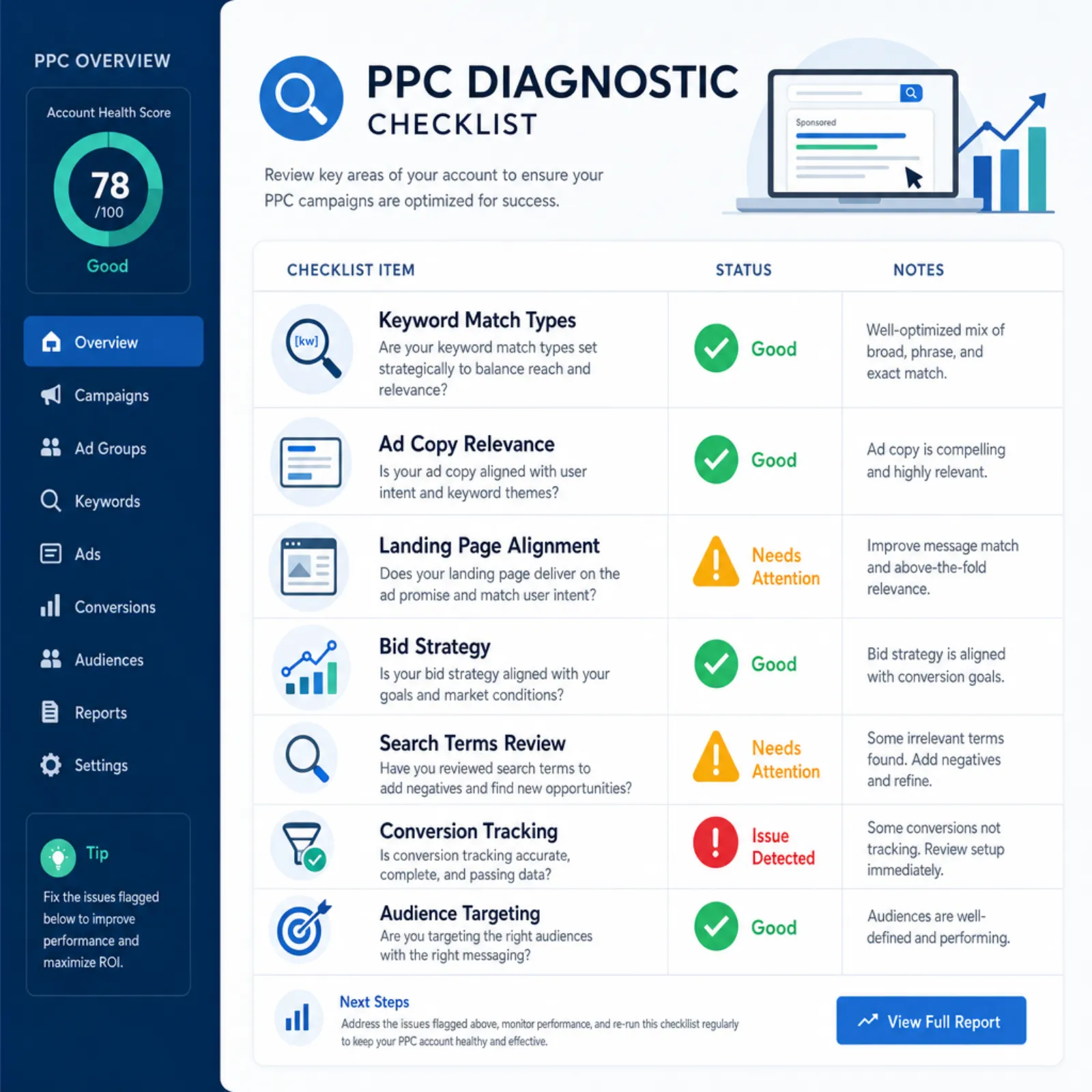
A Diagnostic Checklist for Non-Converting Campaigns
When a Google Ads campaign isn't converting, work through this checklist in order. Each step builds on the previous one, so skipping ahead can lead to wasted effort.
- Conversion tracking. Is it installed correctly? Is it recording conversions? Have you verified with a test conversion?
- Search terms. Are your ads showing for relevant queries? Are irrelevant terms eating your budget?
- Landing page relevance. Does the landing page match the ad's promise? Is the CTA clear and compelling?
- Landing page speed. Does it load in under 3 seconds on mobile? Check Google PageSpeed Insights.
- Mobile experience. Complete a conversion on your phone. Is the process smooth?
- Offer strength. Would you choose your offer over a competitor's? What's stopping someone from saying yes?
- Audience targeting. Are your demographics, locations, and schedules aligned with your ideal customer?
- Budget allocation. Do your best campaigns have enough budget to optimize effectively?
- Campaign type. Is your campaign type aligned with your conversion goal?
- Bidding strategy. Does your bidding strategy match your objective and data volume?
- Ad copy quality. Are you running multiple ad variations? Are you testing and iterating?
- Competitive landscape. Use Auction Insights to see who you're competing against. Are they outbidding or out-messaging you?
Go through this list methodically. Often, fixing one or two items dramatically improves performance. If you're seeing clicks but no conversions, the problem is almost always on the landing page side. If you're not seeing enough impressions, the issue is likely with keywords, budget, or bidding.

When to Bring In a PPC Specialist
Not every Google Ads problem is a DIY fix. Consider bringing in a specialist or PPC agency when:
- You've worked through this checklist and conversions still aren't improving. Some issues require deeper account restructuring, advanced audience strategies, or custom tracking implementations that go beyond basic troubleshooting.
- You're spending more than EUR 5,000/month. At higher spend levels, even small inefficiencies compound quickly. A 10% improvement in conversion rate on a EUR 10,000/month budget saves EUR 1,000 every month.
- You don't have time to manage it properly. Google Ads requires weekly attention: reviewing search terms, adjusting bids, testing ads, monitoring competitors. If you're managing it as a side task, performance suffers.
- You need to scale. Going from EUR 5,000/month to EUR 20,000/month isn't just a matter of increasing budget. Campaign structure, bidding strategies, and audience segmentation all need to evolve.
- Your industry is highly competitive. Some verticals (legal, finance, SaaS, insurance) have CPCs above EUR 20. In these markets, every wasted click hurts, and an experienced specialist knows how to minimize waste.
A good PPC specialist will start with a full account audit, identify the highest-impact opportunities, and provide a clear plan with expected outcomes. At Atastic, our paid media team manages Google Ads campaigns for businesses across industries, and we pair every campaign with proper analytics and tracking to ensure conversions are measured accurately.
If your Google Ads aren't converting and you've tried everything on this list, reach out for a free consultation. We'll review your account and tell you exactly what needs to change. Check our pricing page for transparent information on what working with us costs.